Holy Bible Reina Valera 1960
- 4.9
- Rating
- 1.00M
- Installs
- Free
- Price
 Analysis by App-foxy
Holy Bible Reina Valera 1960 is the kind of reading app I would suggest to someone who wants the familiar Spanish Bible translation close at hand without carrying a printed volume. It belongs to the Books & Reference category, is free to install, and focuses on the Reina-Valera 1960 text alongside tools such as concordance, dictionary, and audio. After spending time moving between ordinary reading and study-style searches, I found that its biggest strength is not flashy presentation but the way it brings several useful reference habits into one place.
The app is developed by Daily Bible Apps and is suitable for Everyone. It has reached more than a million installs and holds a 4.9 average from roughly 104 thousand ratings, which gives a good indication that it has found a steady audience. Those figures do not replace personal testing, of course, but they match my impression: this is a focused tool for Spanish Bible reading rather than a broad religious-content platform trying to do everything.
How the reading experience changes when connectivity matters
I find connectivity matters most when a reading session shifts from simply following a passage to using audio or looking up a word. Before I rely on those tools away from home, I make sure the section I need is open and try the feature I plan to use. That small check leads naturally to the next question: how to keep the reading useful when a connection is unreliable.
You May Also Like

 Blood Strike: 2.5 Anniversary
Blood Strike’s Loadouts Turn Every Drop Into a Tactical Gamble
A close look at Blood Strike’s custom loadouts: how fast access to signature weapons reshapes its battle royale rhythm, rewards preparation, and narrows the gap between fights.

 Pandora - Music & Podcasts
Pandora’s Music Is Easy to Start, but Harder to Recover
Pandora’s strength is its low-effort path from a seed to a station. Its weak spot is how much confidence it asks you to place in connection, setup, and quiet recovery.

 8 Ball Pool
 Is Built on Rivalries, Rematches, and Routine
A close look at the rivalries, rematches, shared routines, and unanswered safety questions that turn a quick pool match into a persistent mobile community.

 Samsung Music
’s Quiet Strength Is Playing What You Already Own
Its reach comes less from spectacle than from dependable access to a personal library. That simplicity is both the app’s strongest retention engine and its ceiling.

 AccuWeather: Weather Radar
AccuWeather Review: A Quick, Clear Forecast for Everyday Decisions
For everyday plans, the best forecast is the one you can understand quickly. AccuWeather makes rain timing, radar, and local conditions easy to act on, with a few trade-offs.

 Hill Climb Racing
Why Hill Climb Racing Still Turns Crashes Into One More Run
A tiny car, a bumpy hill and one more upgrade: Hill Climb Racing keeps resurfacing because its simple chaos makes every near-miss feel personal.
More From Our News Desk



A familiar translation with practical study tools
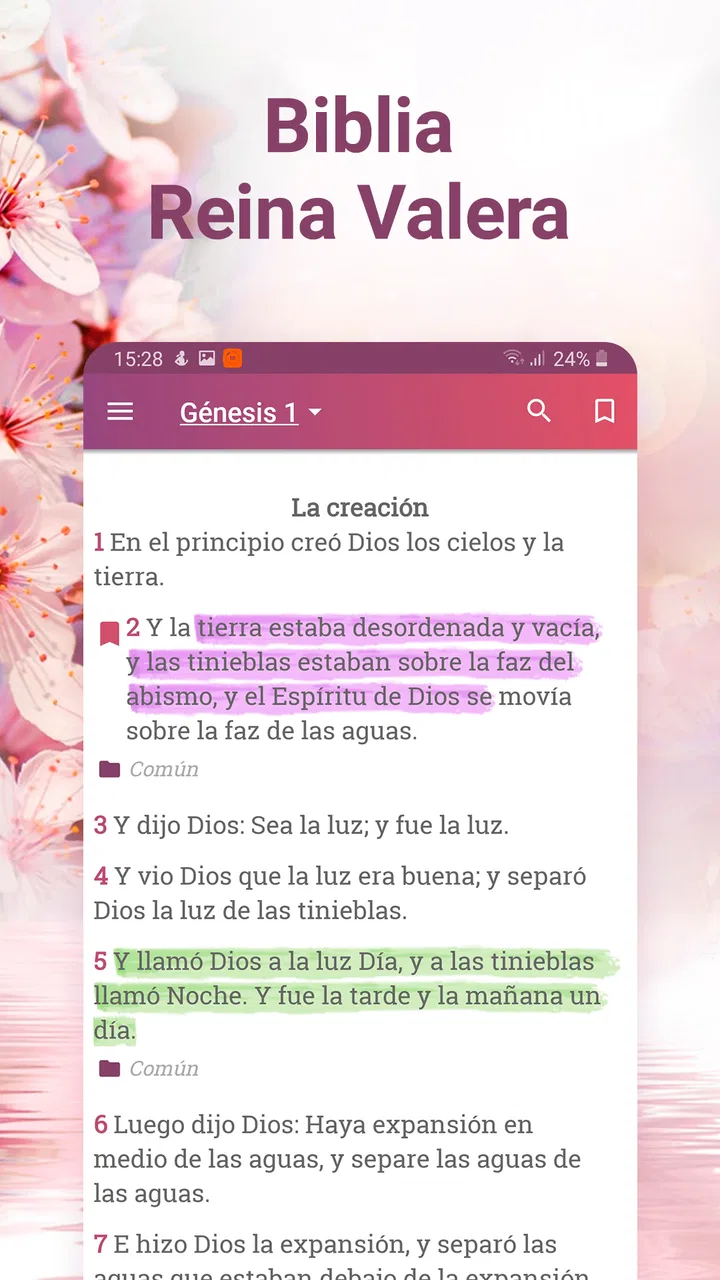
The central experience is straightforward: open the Bible, choose a passage, and read the Reina-Valera 1960 wording. That familiarity matters for people who already hear this translation in church, use it in a study group, or want their personal reading to match the text used by family and friends. I found the app easier to appreciate once I stopped treating it like a digital replacement for every kind of Bible study and instead used it as a compact reading and reference companion.
The concordance is especially useful when I remember a word but not the verse where I saw it. Rather than scrolling chapter by chapter, I can approach the text by a term and use the results to reconnect a theme with several passages. This is a different workflow from casual reading, and it makes the app more valuable for preparing a small discussion, checking a reference, or following a repeated biblical expression.
The dictionary adds another layer for moments when a name, term, or concept deserves more attention. I would not treat a built-in dictionary as a substitute for a specialist commentary, but it can prevent a reading session from stopping every time I meet an unfamiliar expression. That makes the app particularly convenient for readers who want a little context without immediately opening several unrelated apps.
Where the network becomes part of the experience
Connectivity is most noticeable when I move beyond the basic act of reading and use the supporting features. Audio, searches, and reference material can make a session feel more dependent on a stable connection, especially when I am switching between sections quickly. The practical lesson is simple: I would test the passages and tools I expect to use before relying on the app for a study meeting, a trip, or a place where reception is uncertain.
I would also avoid assuming that every part of the experience behaves exactly like a downloaded paper book. The app’s store summary highlights audio and several reference functions, but that does not mean I should plan an important reading session around uninterrupted access everywhere. When the connection is good, the extra tools make the phone feel like a small study desk. When it is weak, the experience can become less predictable, so advance preparation is sensible.
For a short daily reading at home, this distinction may barely matter. For a longer session on public transport or during travel, it matters much more. I prefer to open the desired passage and try the audio or lookup tools before leaving, rather than discovering during the journey that the part I wanted is not immediately available. That small habit reduces frustration without requiring complicated setup.
Using it comfortably on a phone
A phone changes how I read compared with a physical Bible. It is convenient for a quick passage, but the screen also encourages interruptions. A notification, message, or change of task can break concentration more easily than turning a page. I get the best results when I decide in advance whether I am doing a two-minute lookup or a longer reading session, then keep the app open instead of jumping between unrelated screens.
One realistic example is a weekday morning when I have only a few minutes before work. I can open the passage, read it directly, and use the concordance later if a particular word stays with me. In the evening, the same app works differently: I can listen to audio while preparing dinner, then return to the text when I want to examine a phrase. That combination is more flexible than a printed Bible, although it also makes the phone’s battery, sound environment, and connection part of the routine.
Audio is valuable for people who absorb Scripture better by listening, for anyone whose eyes are tired, or for a user who wants to follow along while doing a quiet household task. I would not use it in every setting, since public places may require headphones and noisy surroundings can make careful listening difficult. Still, having reading and listening in the same app removes a common bit of friction: I do not need to search for a separate audio source every time I want a different format.
Small workflows that make the app more useful
My preferred workflow is to read first without searching, mark the word or idea that raises a question mentally, and only then use the concordance or dictionary. That keeps the first pass from turning into a chain of distractions. It also helps me distinguish between a genuine study question and a momentary urge to tap every available tool.
A second useful approach is to use the concordance comparatively rather than as a single-answer box. If I search for a recurring word, I can look at several results and notice how its meaning or emphasis changes with context. This is more informative than reading one isolated verse, and it is one of the clearest reasons to choose this app over a basic Bible reader that offers only navigation.
The audio tool can support another practical routine: listen to a short section first, then read the same section with the text visible. I find that this exposes phrases I might skim over silently. It is not a replacement for careful interpretation, but it changes the pace and can make a familiar passage feel less automatic.
For mobile data, I would keep the app for deliberate sessions rather than leaving audio running without a clear purpose. Audio is the feature most likely to turn a brief reading habit into a longer network-dependent activity. If my connection is limited, I would use text reading for routine passages and reserve listening for a reliable Wi-Fi connection or a prepared session. That is not a criticism of the app so much as a realistic trade-off of using rich reference and audio functions on a phone.
What happens when a connection fails
The most important limitation for me is uncertainty at the exact moment I want to move quickly. A Bible app can feel wonderfully immediate when a search, dictionary entry, or audio request responds at once. If the network becomes unstable, that immediacy can disappear. A reader who only wants a familiar passage may find this especially annoying because the task feels as though it should be simpler than opening a full digital service.
My recovery habit is to return to the passage itself instead of repeatedly tapping a tool that is not responding. I read what is already on screen, wait before trying the lookup again, and avoid starting several searches at once. If I know I will need a particular section, I open it ahead of time. This approach keeps a temporary connection problem from ending the entire reading session.
I would be cautious about choosing this app as my only preparation method for a presentation or group study conducted somewhere with unreliable reception. In that situation, a printed Bible or a reading solution whose offline behavior has been personally tested may be safer. The app remains useful as a companion, but important preparation deserves a backup that does not depend on the phone behaving perfectly at that moment.
Privacy, purchases, and choosing the right alternative
The app is free, which makes it easy to try without committing money at the start. It also includes in-app purchases priced at $2.99 per item. I would treat those optional purchases as something to review calmly rather than tapping through automatically. A reader who only wants the core Reina-Valera 1960 text may be satisfied without spending anything, while someone who uses the additional tools frequently may decide that a purchase is worthwhile.
Compared with a printed Bible, this app wins on portability, searching, audio, and dictionary access. The printed book wins on dependable access, fewer distractions, and a reading rhythm that does not involve a battery or signal. Compared with a minimalist Bible reader, this app offers more ways to investigate a passage, but that extra depth can also make the interface feel busier for someone who wants nothing beyond chapter navigation.
It is also not the best fit for everyone who reads Spanish Scripture. If you need several translations side by side, detailed academic commentary, or a highly organized research library, a more specialized study platform may suit you better. If you prefer a completely screen-free routine, the printed edition remains the better choice. And if your main priority is guaranteed access in remote places, I would verify the app’s behavior in those conditions before making it the center of your routine.
Version, accessibility, and long-term practicality
The current version is 15.1 and it requires Android 7.0 or later. That makes the compatibility question fairly easy for many Android users, but anyone with an older device should check the operating system before planning around it. The Everyone age rating also makes it appropriate for a broad household audience, including readers who want to introduce a younger family member to a Spanish Bible-reading habit.
I like that the app can serve different levels of commitment without forcing one fixed routine. A new reader can simply open a passage and listen or read. A more experienced user can move into concordance and dictionary work. The trade-off is that the user has to create the discipline: the app provides routes into the text, but it does not automatically turn a distracted phone session into meaningful study.
My final view is positive, with one clear condition: I would choose Holy Bible Reina Valera 1960 when I want a Spanish RV 1960 reading app that combines text, audio, and reference tools in a convenient mobile package. Its strongest advantage is the ability to move from reading to focused lookup without leaving the same Bible environment. I would prepare important sessions in advance, avoid assuming perfect access in weak-signal locations, and keep a printed or separately tested backup for travel and group responsibilities.
For everyday reading, quick verse searches, listening, and modest personal study, it feels more capable than a bare text reader and far more portable than a physical volume. For deep scholarly research or guaranteed offline reliability, I would look elsewhere or use it alongside another resource. In my experience, that balanced role is exactly where this app works best: not as a replacement for every Bible tool, but as a practical Spanish companion that is ready whenever the phone, connection, and reading habit line up.
FAQs for Holy Bible Reina Valera 1960
01What features does the Holy Bible Reina Valera 1960 app offer?
The Holy Bible Reina Valera 1960 app provides users with access to the complete text of the Bible in Spanish. It includes features like offline reading, customizable font sizes, and a search function to find specific verses quickly. Additionally, users can bookmark favorite passages, add notes, and share verses via social media or messaging apps.
02Is the Holy Bible Reina Valera 1960 app available offline?
Yes, the Holy Bible Reina Valera 1960 app allows for offline reading once the app is downloaded. This means users can access the scriptures without needing an internet connection, making it convenient for reading during travel or in areas with limited connectivity.
03How user-friendly is the Holy Bible Reina Valera 1960 app for beginners?
The app is designed with a simple and intuitive interface that is easy to navigate, making it suitable for beginners. It offers straightforward navigation through books, chapters, and verses. The search and bookmarking features are also designed to be user-friendly, ensuring a seamless experience for new users.
04Does the Holy Bible Reina Valera 1960 app include additional resources or study guides?
While the primary focus is on the Bible text itself, the app may include some additional resources such as daily devotionals or reading plans. However, it is important to check if these features are available in the app version you download, as they can vary between updates.
05Is there support for multiple languages in the Holy Bible Reina Valera 1960 app?
The Holy Bible Reina Valera 1960 app primarily features the Bible text in Spanish. While the interface may support multiple languages, the scripture itself is in Spanish. Users looking for other language versions of the Bible may need to download separate apps dedicated to those translations.
Pros
- User-friendly interface with easy navigation.
- Offline access to scriptures is available.
- Customizable font size for easy reading.
- Daily verse feature for inspiration.
- Audio options for listening on-the-go.
Cons
- Contains ads in the free version.
- Limited language options available.
- No Bible study guides included.
- Requires internet for some features.
- Occasional app performance lags.

Holy Bible Reina Valera 1960
Gallery